
Question paper generator, from your own chapter.
Vidhya writes a question paper from the chapter you teach. Upload the chapter, pick a Unit test, Half-yearly or Board-style plan, set the marks, time and difficulty, and download a print-ready PDF. Classes 1 to 12, every major subject.
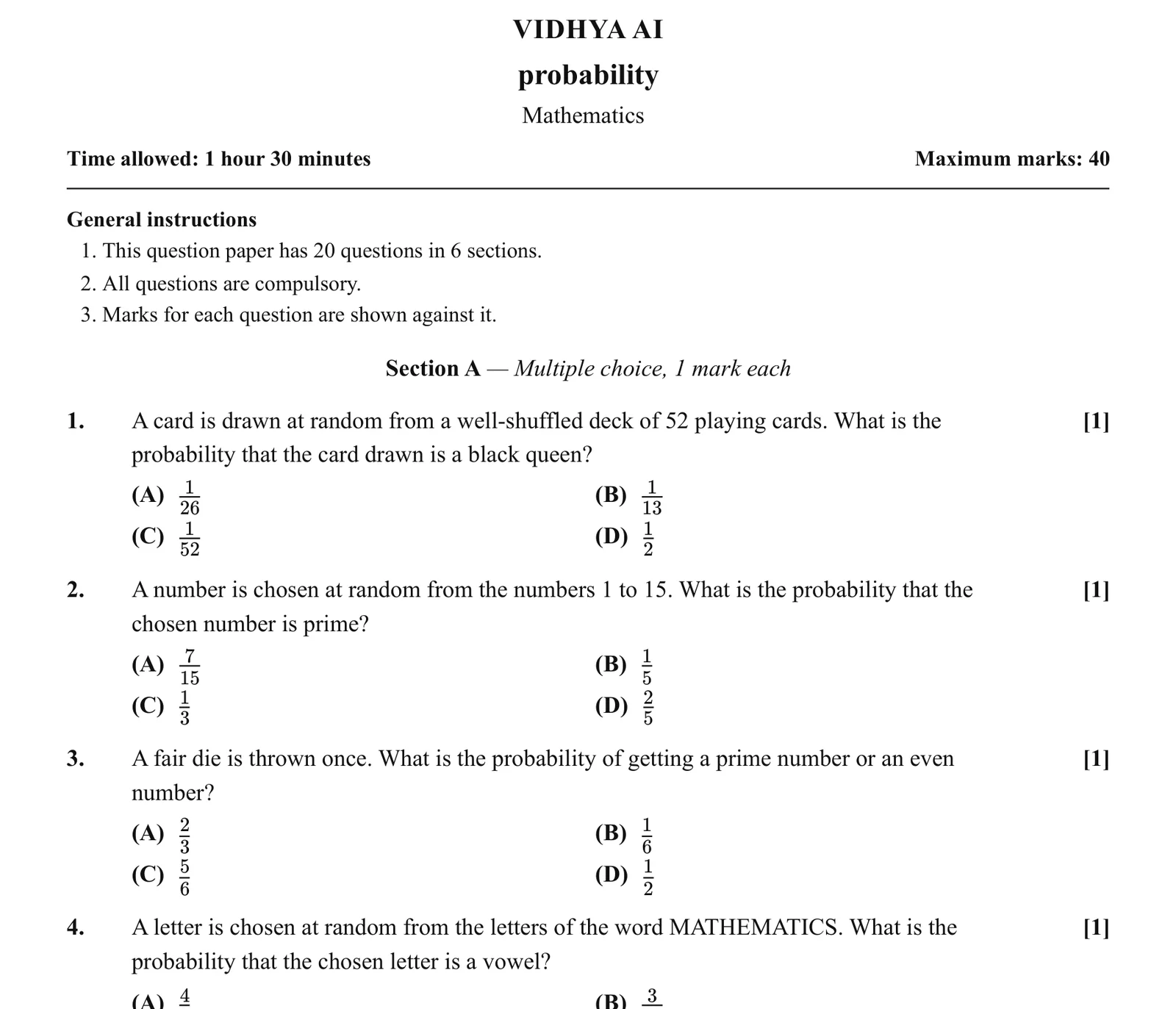
From chapter to printed paper, in three steps.
These are real screens from Vidhya.
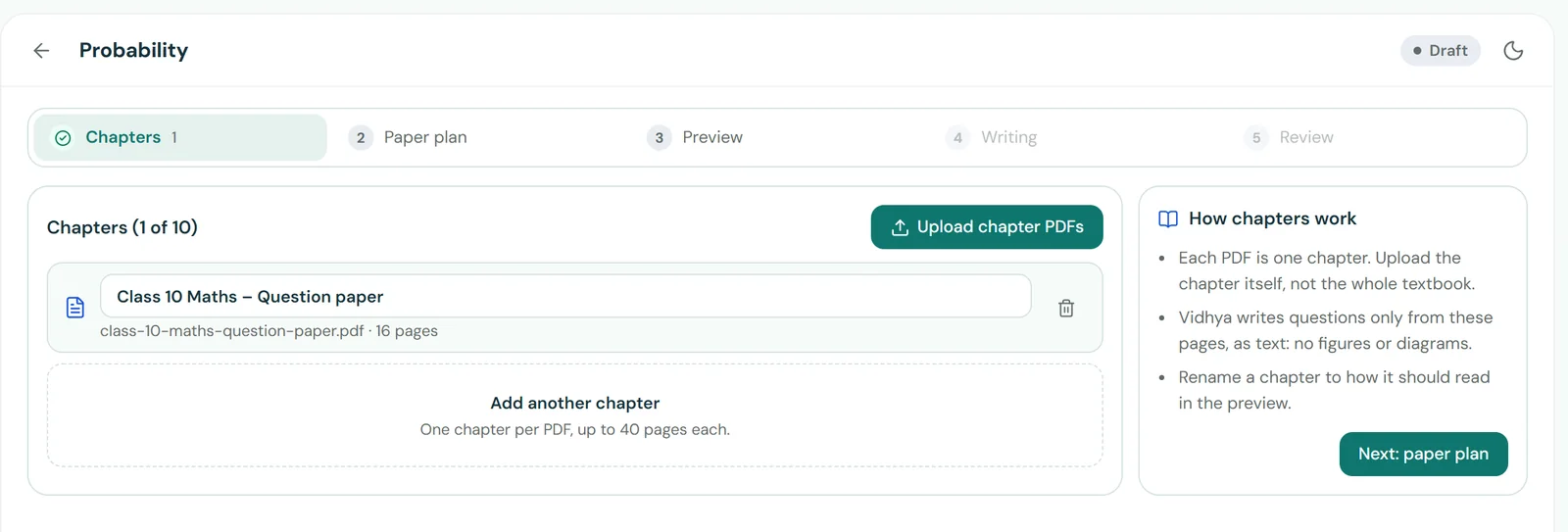 1
Add the chapter.
Upload each chapter as a PDF, up to 40 pages each and up to 10 chapters in one paper. Vidhya writes questions only from those pages.
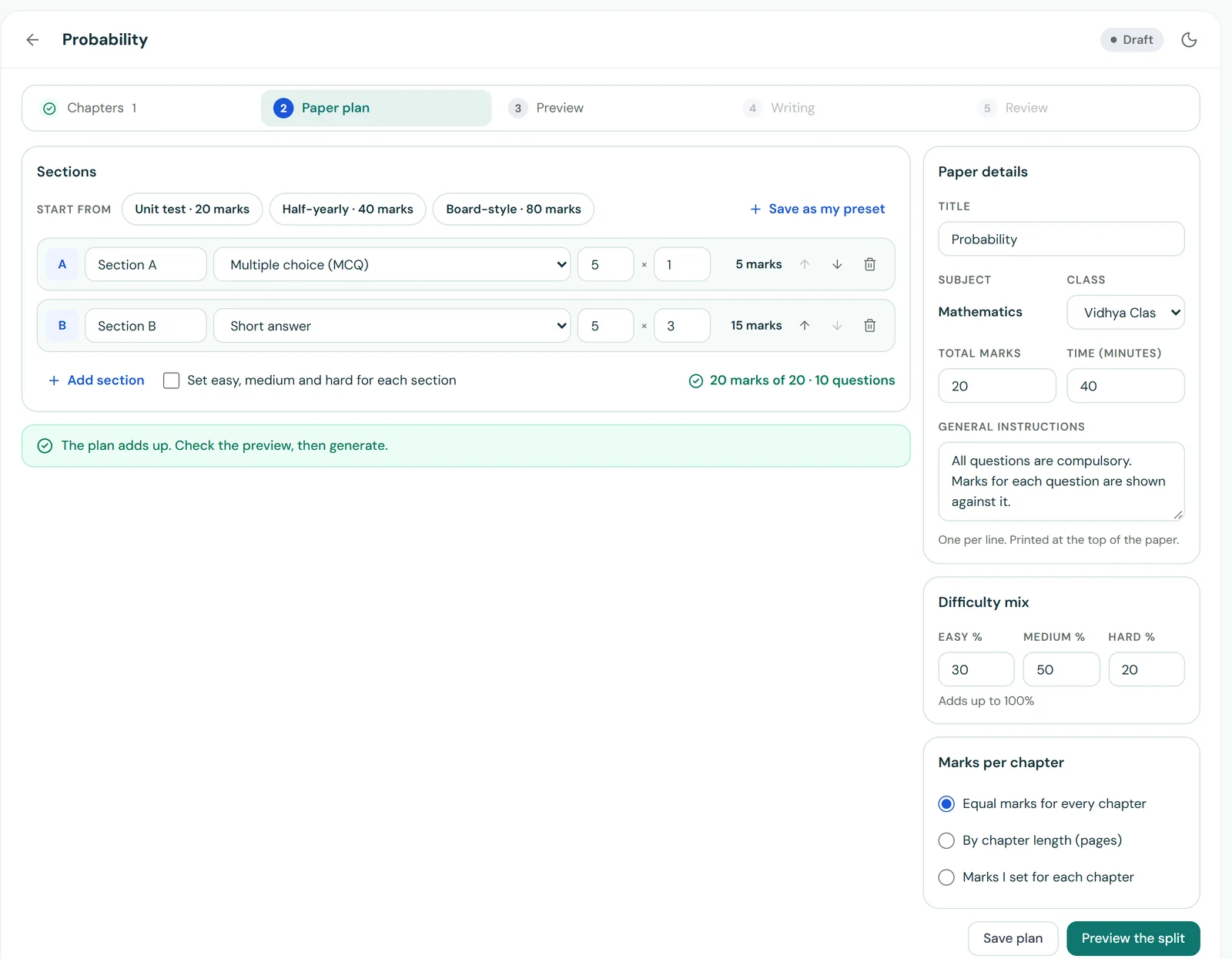 2
Plan the paper.
Start from Unit test (20 marks), Half-yearly (40 marks) or Board-style (80 marks), or build your own sections. Set the total marks, the time, the instructions and the mix of easy, medium and hard.
- 3
Review it, then print.
Read every question before it goes out. Write any question again, lock the ones you like, edit, reorder or delete. Then download the PDF.
Your paper, your pattern.
- Question types. Multiple choice, assertion and reason, very short, short, long and case-based questions, in the sections you choose.
- Marks your way. Set the marks for each section and question, and the total for the paper.
- Marks per chapter. Equal marks for every chapter, marks by chapter length, or your own split.
- Difficulty mix. Choose how much is easy, medium and hard, for the whole paper or for each section.
- Your own presets. Save a pattern you use often and start from it next time.
- Print-ready PDF. Title, time allowed, maximum marks, instructions, sections and marks, laid out for printing.
After the test, Vidhya marks the answer sheets too, step by step, in red pen. See answer sheet checking
Questions about the question paper generator.
What is Vidhya’s question paper generator?
It writes a test paper from the chapter you teach. You upload the chapter, choose the pattern, marks, time and difficulty, and Vidhya writes the questions only from those pages. You review every question before you download the paper.
Which classes and subjects does it cover?
Classes 1 to 12, across every major school subject. Add the chapter you teach and Vidhya writes the paper from it.
Can I change the questions?
Yes. Write any question again, lock the ones you want to keep, and edit, reorder or delete questions before you download the paper.
Can I make a board-style paper?
Yes. Start from the Board-style preset (80 marks), then change the sections, marks and difficulty to match the pattern you need. You can also save your own pattern as a preset.
What do I get at the end?
A print-ready PDF with the title, time allowed, maximum marks, general instructions, sections and the marks for each question.
I already have my own question paper. Can I still use Vidhya?
Yes. Skip the generator and upload your own paper, as a PDF or photos, when you start grading.
Next test coming up?
Make the paper with Vidhya, then let it mark the answer sheets.