
Answer sheet checking, every step, in red pen.
Vidhya checks handwritten answer sheets for teachers. Scan the sheets with your phone, and Vidhya reads every answer, marks each step against your answer key and writes the marks in red pen on the student’s own page. You look it over, approve, and the results go out.
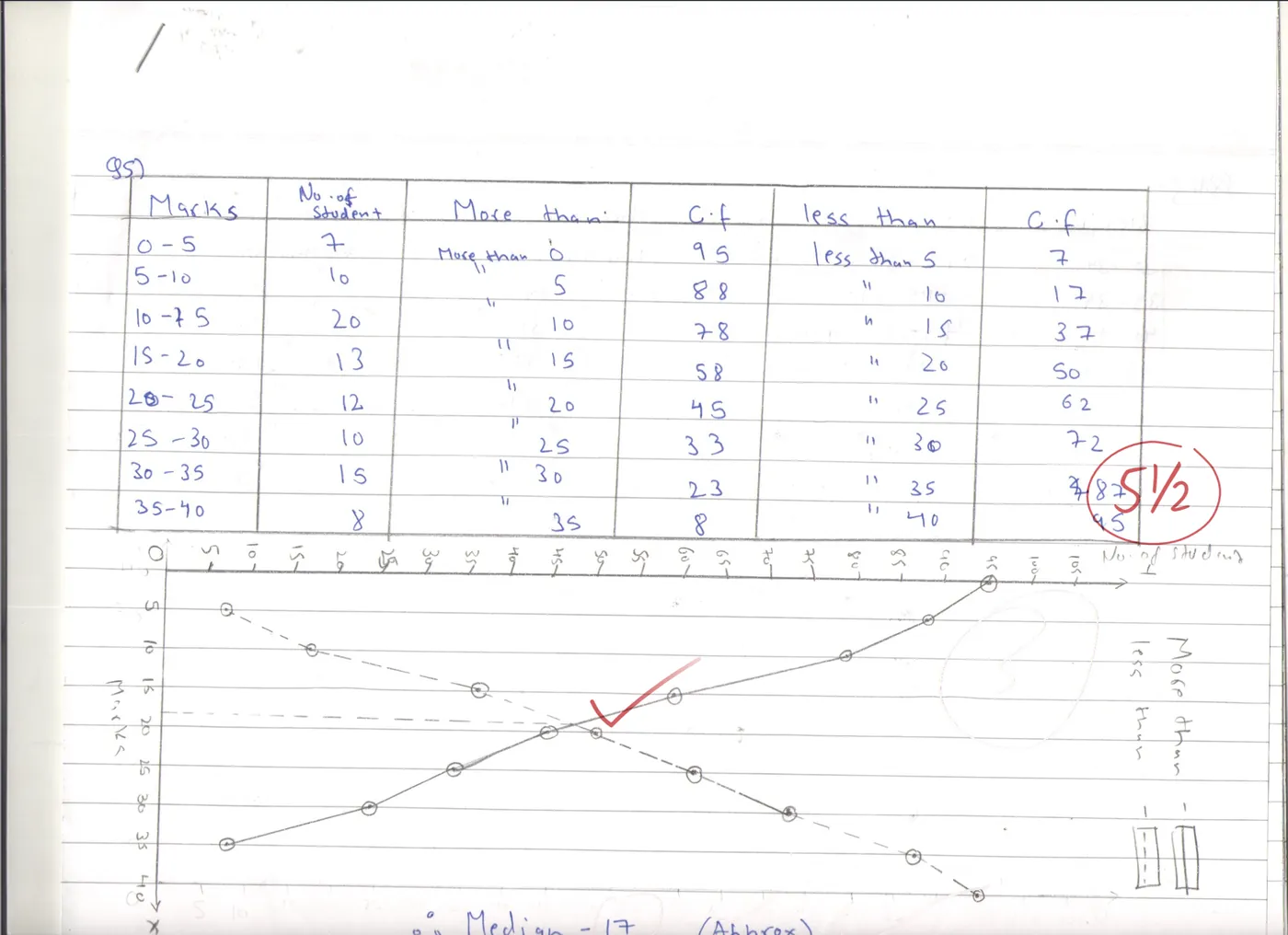
How Vidhya checks a test.
Four steps, from the pile on your desk to results with every student and parent.
 1
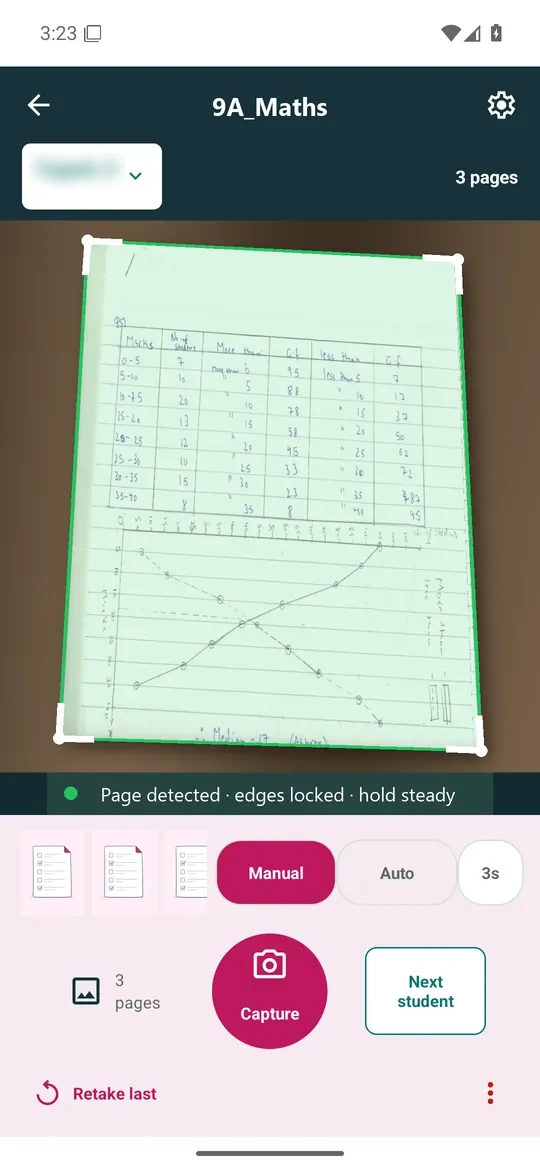
Scan or upload the sheets.
Turn the pages under the Vidhya mobile app, free on Google Play as Vidhya Grading, or upload them from your laptop. Each page is filed under the right student.
 2
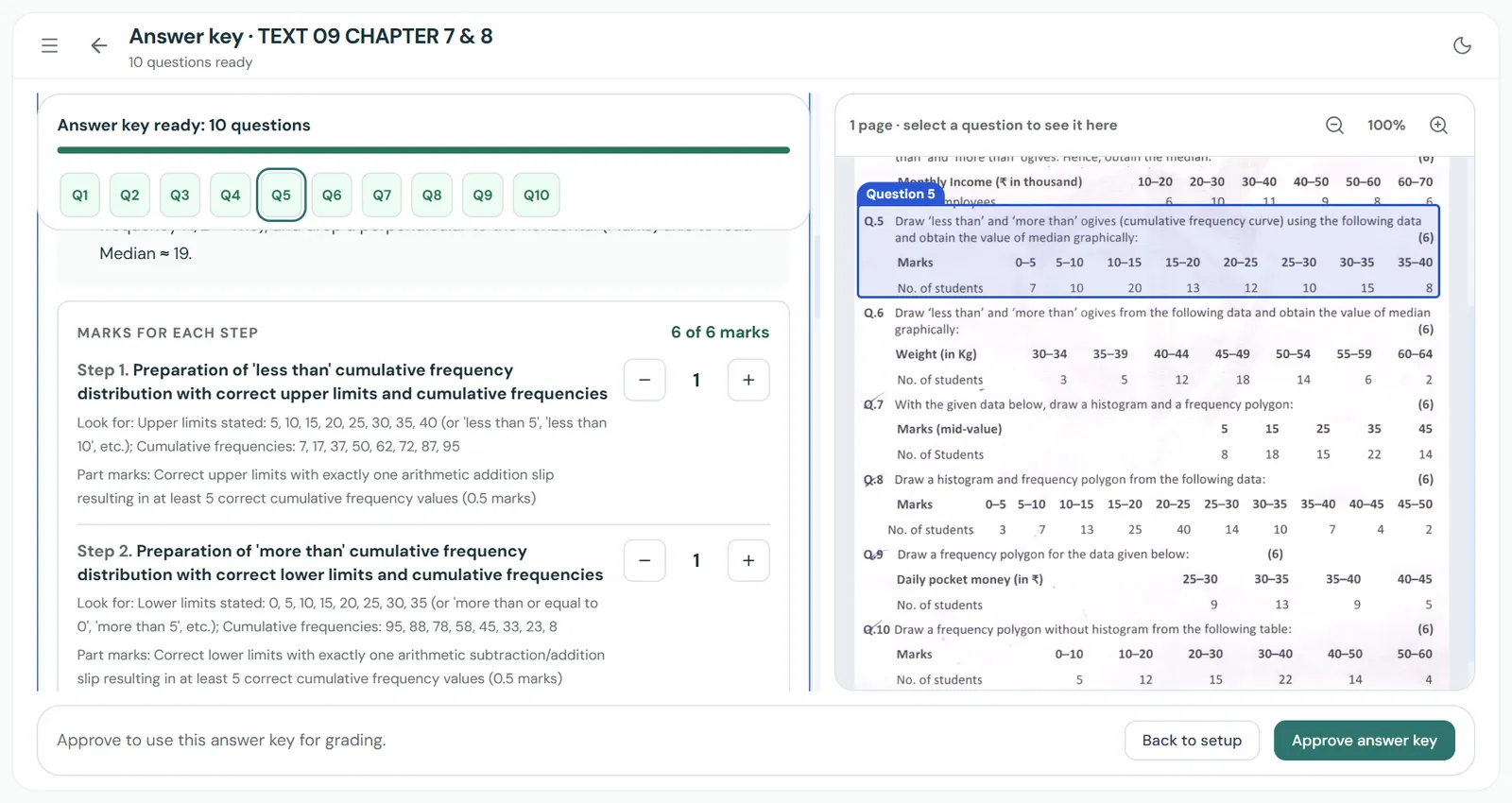
Approve the answer key.
Vidhya reads your question paper and writes the answer key, step by step, with marks for each step. Change any step, tell it what else to accept, or give grace marks for a wrong question.
 3
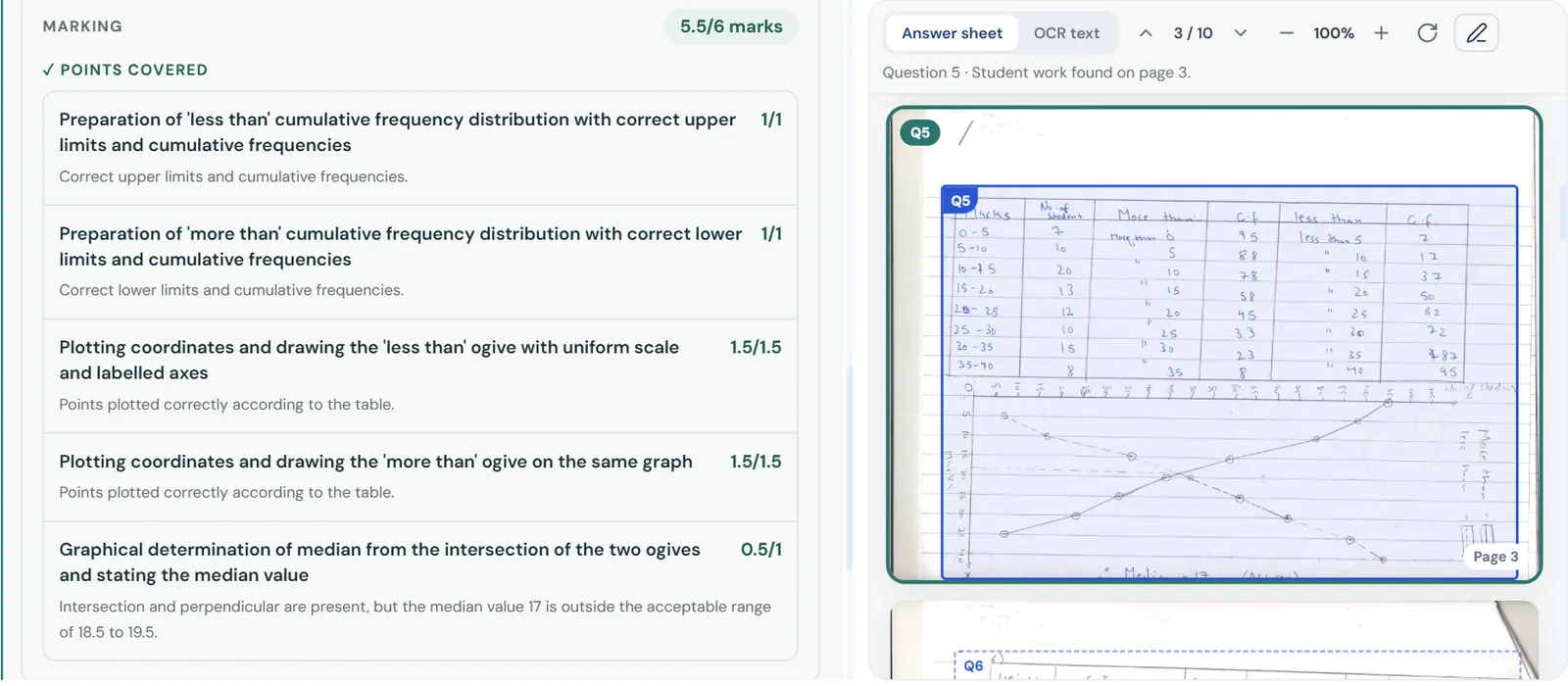
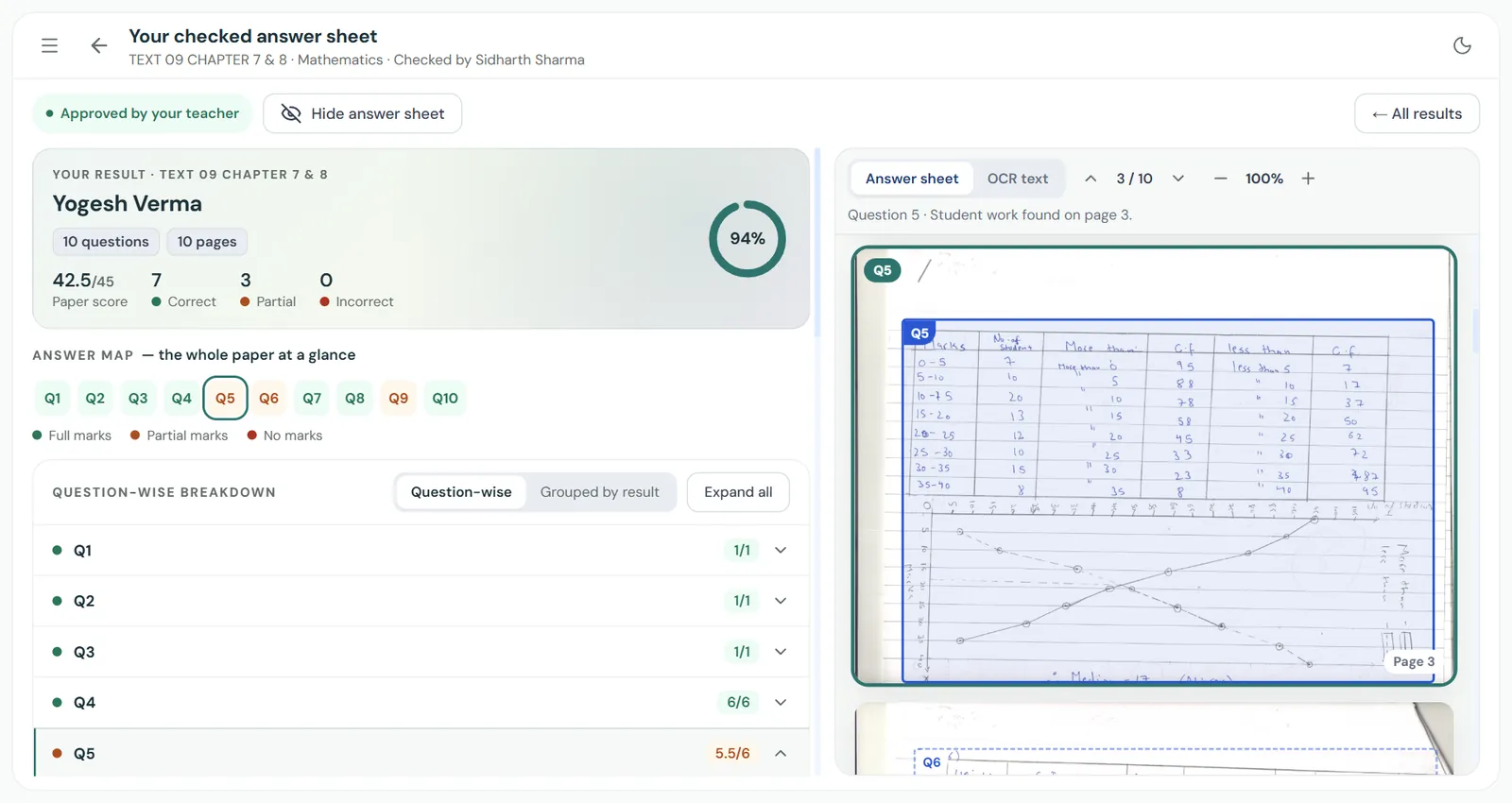
Vidhya marks every step.
Tables, graphs and rough work. It checks each step against your answer key, and where a mark is lost, it says why.
 4
Approve and send.
Change any mark, then approve. Students see every mark in the student portal, and parents get an email.
Built for real answer sheets.
- Messy handwriting. Rough work, crossings-out, diagrams and graphs are read as they are. Students write the way they always do.
- Part marks. Each step earns its own marks, so a right method with a slip still gets credit.
- Unsure answers wait for you. Anything Vidhya isn’t sure about is set aside for your review.
- Late sheets. A sheet came in late? Add it to the same test.
- Class report. Students ranked by marks and the questions most of the class missed, so you know what to teach again.
- Help for students. Students see how to answer each question and ask Vidhya their doubts in English or Hinglish.
Need the question paper too? Vidhya writes it from your chapter. See the question paper generator
Questions teachers ask about answer sheet checking.
How does Vidhya check handwritten answer sheets?
You scan the sheets with your phone or upload them. Vidhya reads each answer, including diagrams, graphs and rough work, marks every step against your answer key, and writes the marks in red pen on the student’s own page. You review and approve before anyone sees the result.
How does Vidhya know the right answer?
It reads your question paper and writes out the expected answer, with marks for each step. You check that answer key and approve it before a single answer sheet is marked.
Can it read untidy handwriting?
Yes. It’s built for real answer sheets: messy handwriting, rough work, crossings-out, diagrams and graphs. The original page sits next to every mark, so if something was misread you’ll spot it. Students can flag it too.
Can I change a mark?
Yes, any mark on any question. You can leave a note to explain why, or mark the sheet with your own red pen.
What if a question in the paper was wrong?
Give grace marks, or remove the question from the test.
Do I have to install an app?
No. You can upload answer sheets from your laptop, but the Vidhya mobile app makes it much faster. It’s free for Android: search for Vidhya Grading on Google Play.
Does anyone see results before I approve?
No. Students and parents see nothing until you press approve.
Which subjects does it mark?
Every major school subject up to Class 12, from Maths, Science and Accounts to History, Hindi and Computer Science.
Got a test to grade this week?
Try Vidhya on it. Your first 50 pages are free.