How Vidhya grades a whole test.

Turn the pages under your phone. Vidhya marks every step in red pen against your answer key. You look it over, change anything you like, approve, and the results go to your students.

50 pages free for Maths and Science · Classes 1–12

A student’s answer page marked in red pen, with a tick and 5½ circled
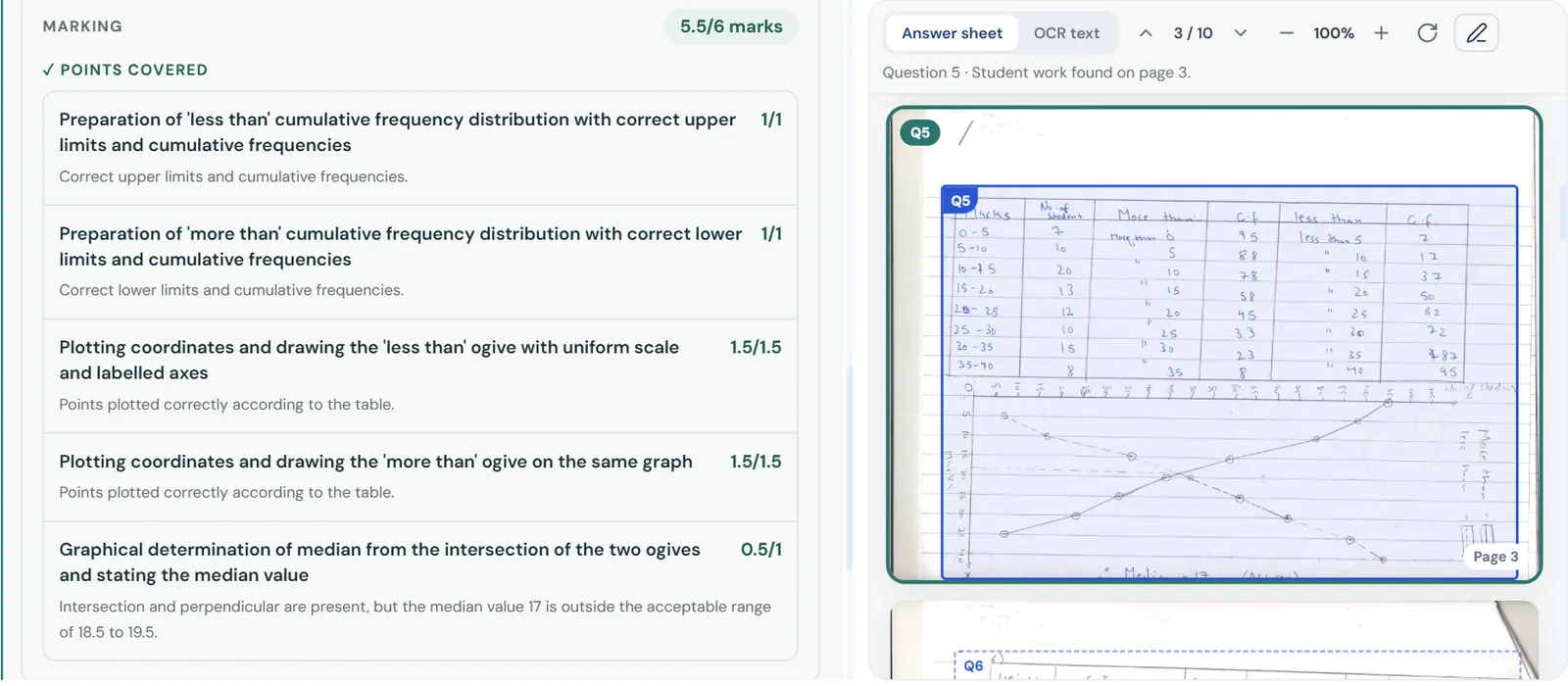
Marks for each step of question 5, with the reason for the lost half mark

Watch it in four minutes.

Two short tutorials: the whole grading flow, and scanning a class with your phone. More on our YouTube channel

How Vidhya marks one paper

  1. Friday, the test.
    Sunday, the pile.

    Each answer sheet needs a careful read, a tick on every step and a total at the end. Then the next one.

  2. Snap the pages.

    Hold your phone over the pile and turn the pages. Vidhya picks up each page and files it under the right student.
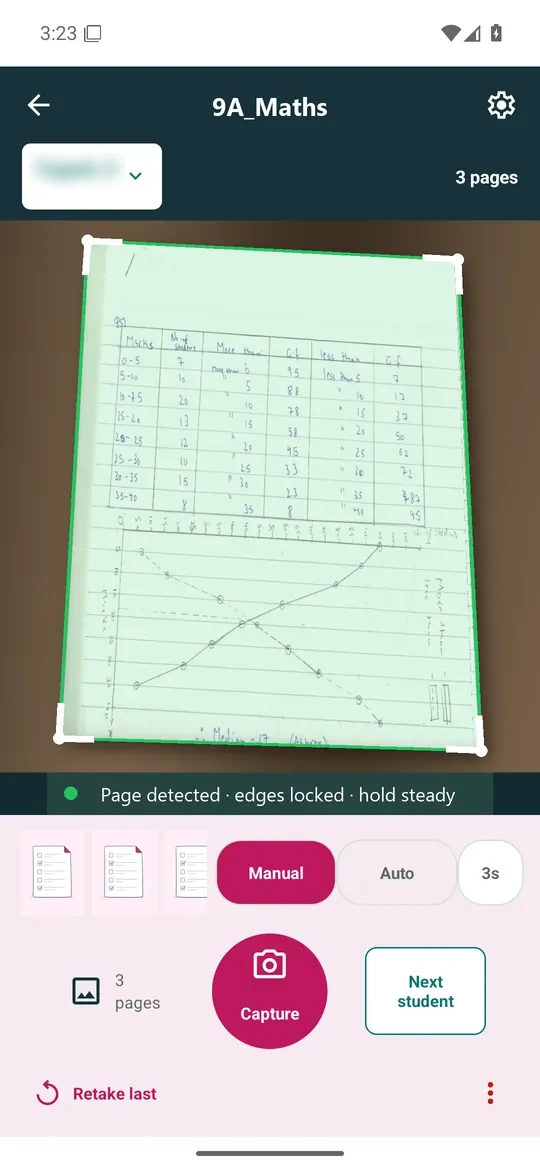
    The Vidhya mobile app with a page detected and its edges locked
  3. Vidhya reads the answer.

    Tables, graphs, rough work. It finds every step the student wrote.
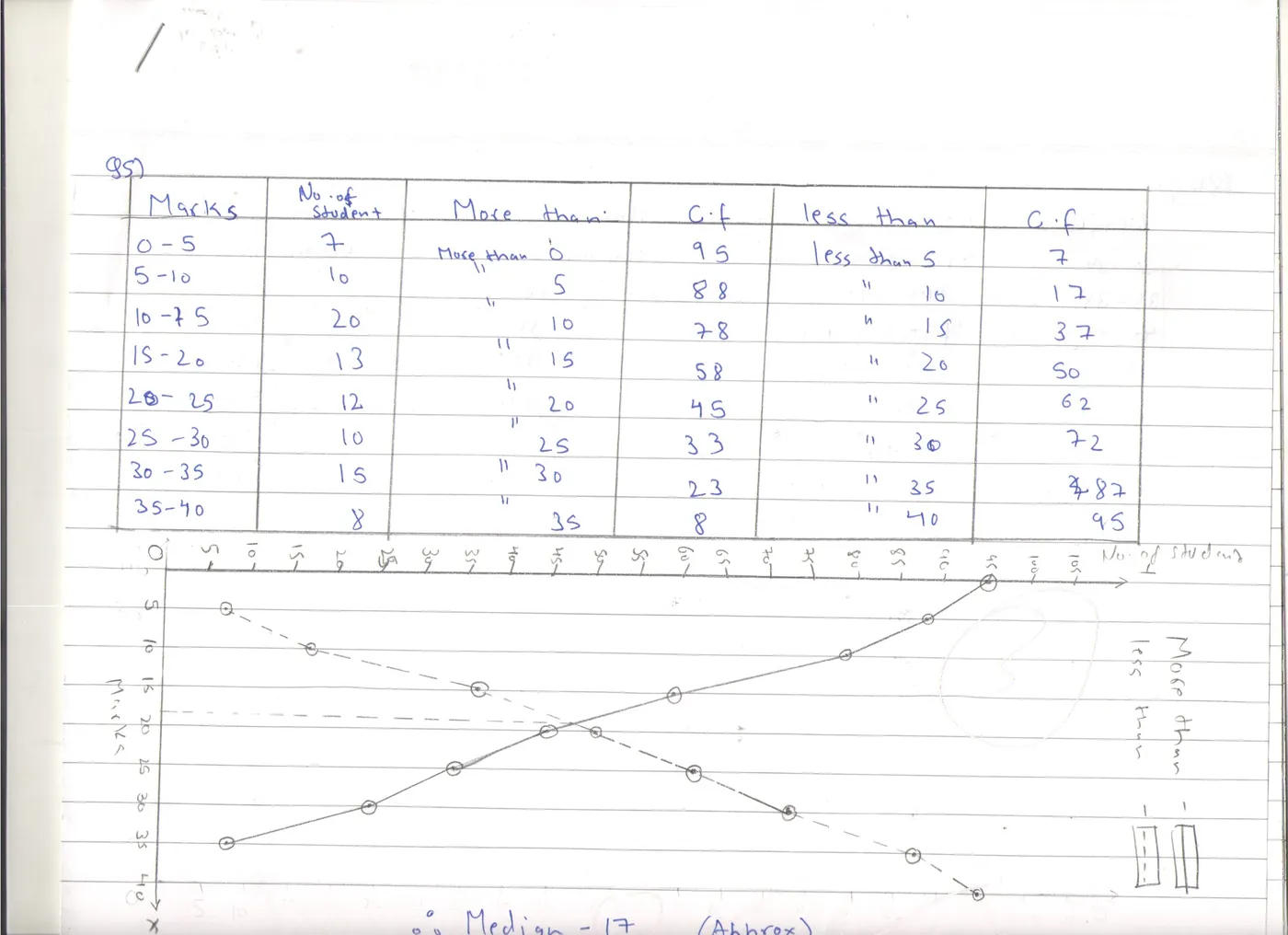
    A student’s answer to question 5 with the tables, ogives and median foundTwo tablesTwo ogivesMedian
  4. Each step gets a mark.

    Checked against your answer key, one step at a time. Where a mark is lost, it says why.

    Q5 · Ogives and median5.5 / 6
    ‘Less than’ cumulative frequency table1/1
    ‘More than’ ogive on the same graph1.5/1.5
    Median from where the ogives meet0.5/1Read as 17. Accepted: 18.5 to 19.5.
  5. Marked in red pen.

    On the student’s own page, the way you would mark it.
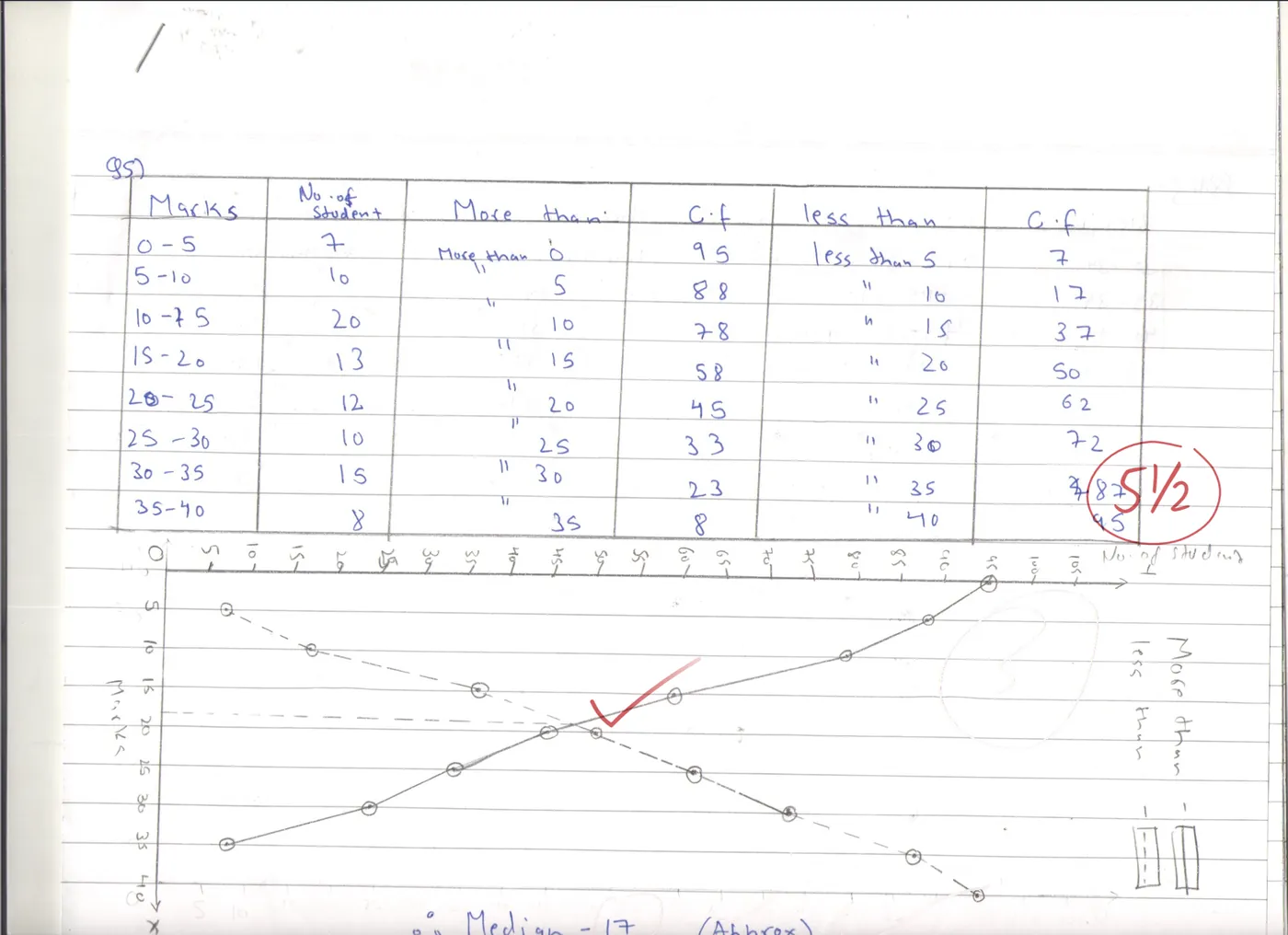
    The same page marked in red pen
Sign up free
A student’s handwritten answer to question 5: two cumulative frequency tables and two ogives on one graphTwo tablesTwo ogivesMedian
Q5 · Ogives and median5.5 / 6
  1. ‘Less than’ cumulative frequency table1/1
  2. ‘More than’ cumulative frequency table1/1
  3. ‘Less than’ ogive, uniform scale, labelled axes1.5/1.5
  4. ‘More than’ ogive on the same graph1.5/1.5
  5. Median from where the ogives meet0.5/1Read as 17. Accepted: 18.5 to 19.5.
Disagree with a mark?
Change it.

Here Vidhya gave half a mark for the median. Look at the working and make the call: keep it, or give the full mark.

Q5 · Step 5Total 5.5 / 6

Reads the median from where the two ogives meet.

The working is right, but 17 is outside the accepted range for the median.

0.5/ 1

That’s all the checking left for you.

One tap sends the results to every student and parent.

  1. Students see every mark, step by step, in the student portal.
  2. Parents get an email with the result.
  3. Doubts come back to you on the exact step they’re about.

Students see every mark

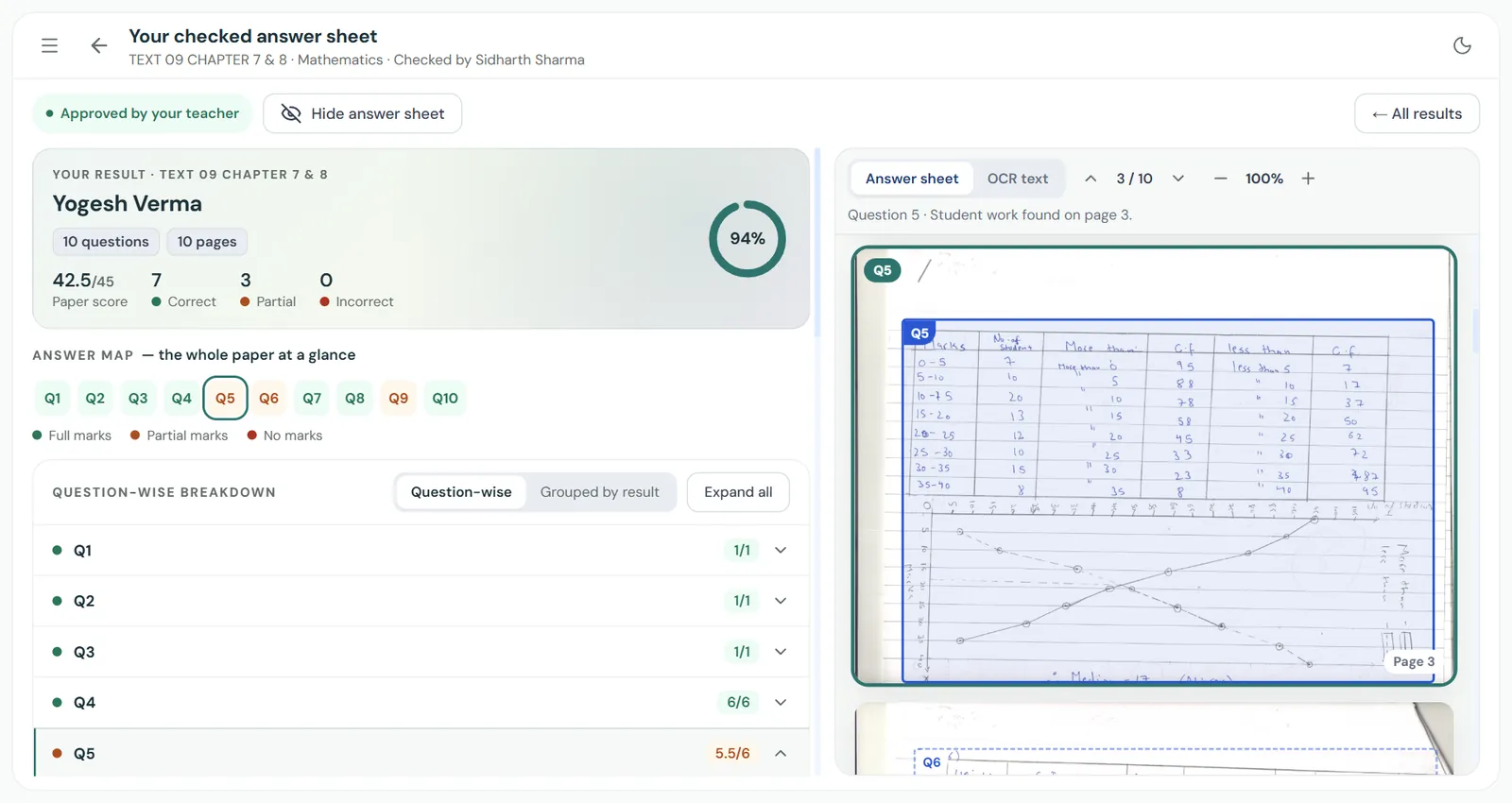
A student’s approved result: 42.5 out of 45 with a breakdown of every question

Mathematics · Chapter 7 & 8Approved by your teacher

42.5/ 4594%

7 correct3 partial0 incorrect

  • Q46/6
  • Q5 · Ogives and median5.5/6

Parents get an email

Gmail· now

From: Vidhya

Result available

Your child’s assessment has been reviewed and approved by the teacher.

Doubts come back on the exact step

Ask your teacher · Step 5

“My graph intersection is at 17. I read it carefully from my scale. Could you please re-check the median step?”

Sent to the teacher

“Can it really read
my students’ handwriting?”

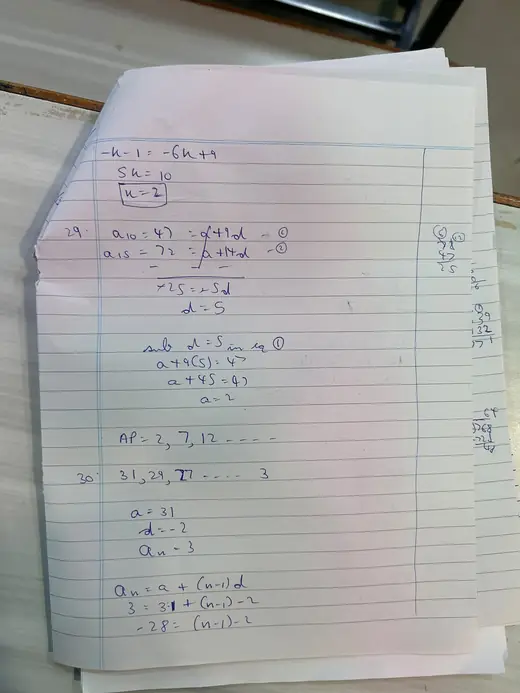
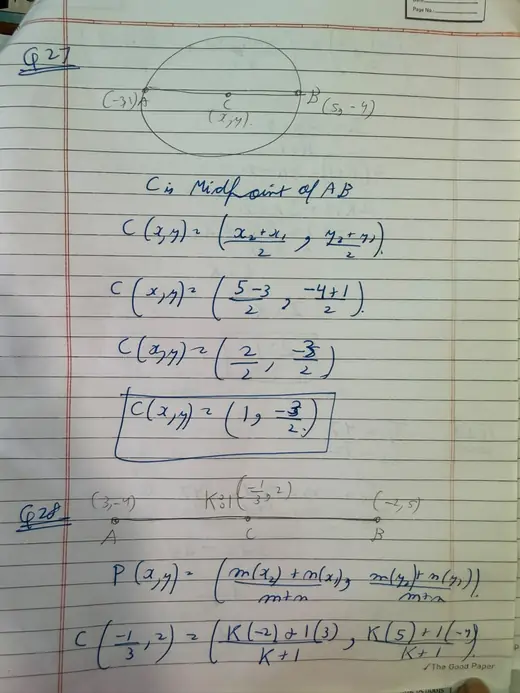
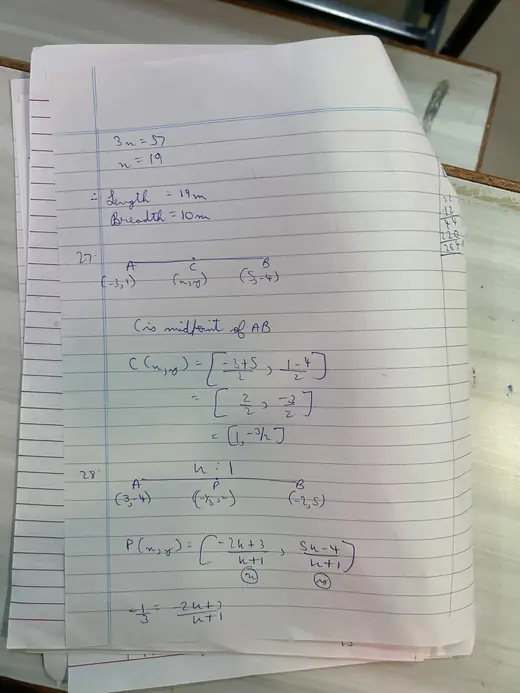
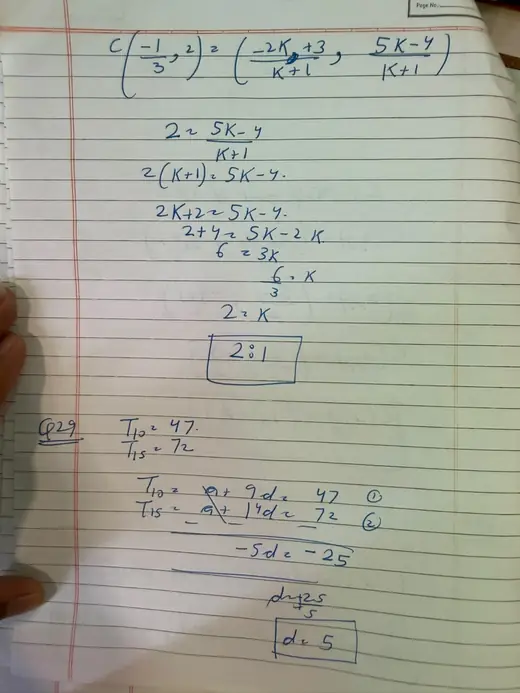
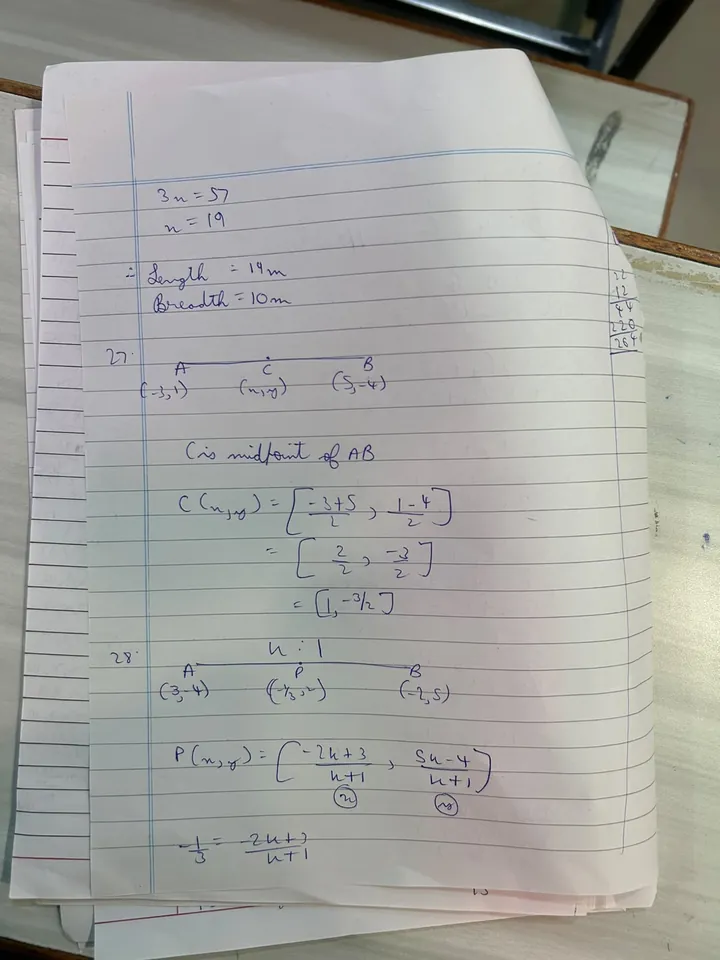
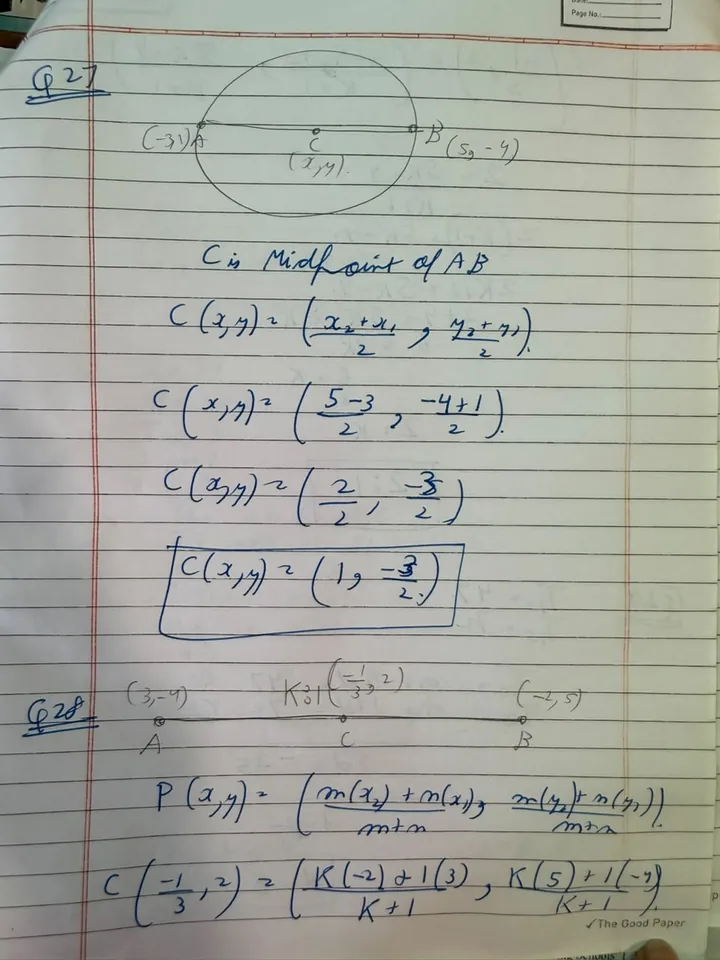
Two real students answered the same coordinate geometry questions, each in their own way.

Student A’s handwritten working for questions 27 and 28
Student A
Student B’s handwritten working for the same questions, using a different method
Student B

Vidhya read both and marked them against the same answer key.

Start with the answer sheet nobody can read.

Sign up free

Set the paper. Then help every student.

Vidhya writes your question paper, takes care of a wrong question, and stays with your students after the result. These are real screens from Vidhya.

Question paper

Your question paper, ready to print in minutes.

  • Grace marks

    A mistake in the paper? Fix it in a tap.

    Give grace marks or drop the question, before marking starts.

  • Doubts and solutions

    Fewer “Ma’am, why did I lose marks?”

    Students see where their marks went and ask Vidhya, in English or Hinglish.

  • Practice questions

    They practise what they got wrong.

    A practice question on the same topic, while the mistake is fresh.

One test, start to finish

Set the paper. Grade the copies. Send the results.

Try it on your next test. Your first 50 Maths and Science pages are free.

Start free. Pay ₹500 when you’re ready.

Teacher plan

₹500+ GST

  • 145 credits, about ₹3.50 a page
  • Credits you buy never expire
  • Student portal included

Running a school, college or coaching institute?

Tell us how many students and teachers you have. We’ll set up your first batch with you and agree a price that fits.

Questions teachers ask us first.

Marking

How does Vidhya know the right answer?

It reads your question paper and writes out the expected answer, with marks for each step. You check that answer key and approve it before a single answer sheet is marked.

Can I change a mark?

Yes, any mark on any question. You can leave a note to explain why.

Can it read untidy handwriting?

Yes. It’s built for real answer sheets: messy handwriting, rough work, crossings-out, diagrams and graphs. The original page sits next to every mark, so if something was misread you’ll spot it. Students can flag it too.

Do students have to write differently?

No. They write the way they always do.

Which subjects does it mark?

Every major school subject up to Class 12, from Maths, Science and Accounts to History, Hindi and Computer Science. Teach something else? Talk to us. Vidhya marks against your own question paper and answer key, so CBSE, ICSE and state board papers all work. It also checks JEE, NEET, CUET, Olympiad and CA and CS Foundation tests.

Getting started

When can I buy the ₹500 plan?

Now. Sign in to the Vidhya app and open the Credits page. You can pay by UPI, card or netbanking.

Can Vidhya write the question paper?

Yes. Add the chapter, set the marks and the mix of easy, medium and hard, and tap Generate. Change any question you like, then download the PDF. Already have your own paper? Just upload it.

What do I need?

A phone, the question paper and the answer sheets you want marked.

Do I have to install an app?

No. You can upload answer sheets from your laptop, but the Vidhya mobile app makes it much faster. It’s free for Android: search for Vidhya Grading on Google Play. Watch the 1-minute scanning video.

What does the Vidhya mobile app do?

It spots each page as you turn it, sorts the pages by student and works in any light. A tabletop stand with a ring light is available separately.

Students and parents

What do students get?

Their marked answer sheet, how to answer each question and what they missed. They can ask Vidhya about any doubt in English or Hinglish, or ask you to review a step. The student portal comes with the ₹500 plan.

Does anyone see results before I approve?

No. Students and parents see nothing until you press approve.

Schools and institutes

We have lots of teachers and classes. How does that work?

Fill in the institute form with your classes and how many tests you run, and we’ll come back with a plan for your whole team.

Do you work with colleges?

Not yet, but we’re open to it. If you run a college or teach a course we don’t list, talk to us and we’ll look at building something around what you need.

Didn’t find your question? Write to us and we’ll answer it.

Got a test to grade this week?

Try Vidhya on it. Your first 50 Maths and Science pages are free.

Log inSign up free